Introduction
The Partners Logo Showcase module is a highly versatile tool that allows you to display the logos, images, and text of your respected partners, sponsors, or clients in a sleek and visually appealing way. With a wide range of layout options and customization features available to you, effortlessly create a gallery that seamlessly aligns with your website's unique style and branding. The module includes pre-designed hover effects that enhance the overall user experience of your website. It also includes a built-in call-to-action (CTA) feature that can be easily enabled or disabled. The CTA helps guide your visitors to your partners' websites, with the added functionality of opening the links in a new tab. Whether you want to highlight your valuable partnerships, proudly showcase your esteemed sponsors, or feature your esteemed clients, this exceptional module provides you with all the essential tools necessary to curate an impressive logo gallery that is sure to make a lasting impression on your valued visitors.
-png-1.png)
Layouts
The Partners Logo Showcase module provides a multitude of layout options that enable you to present your logos in the most impactful and efficient manner. With a choice between Four unique layouts, you have the freedom to personalize the module to perfectly align with your individual requirements and preferences.
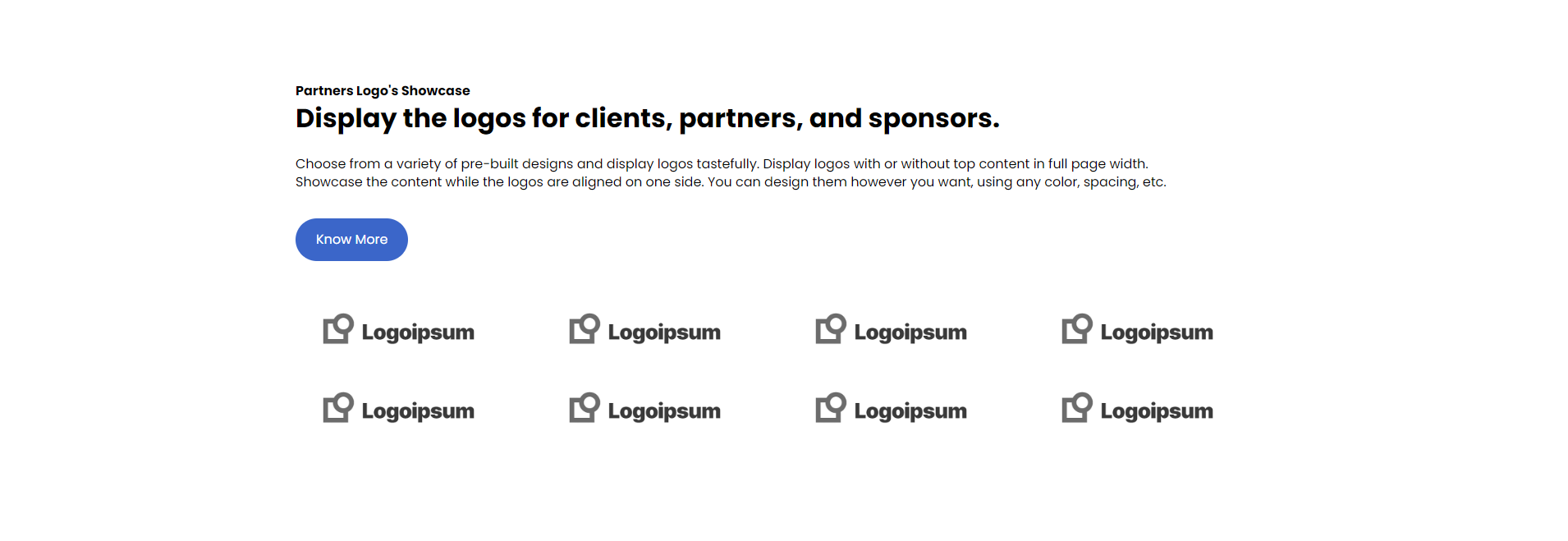
1.) Top Headline with Bottom Gallery
The Top Headline with Bottom Gallery layout option allows you to showcase your logos in a visually appealing and organized manner. This layout ensures that your logos are prominently displayed at the top of the page, while the gallery is positioned at the bottom for easy navigation. With this layout, you can create a professional and engaging logo showcase that will capture the attention of your valued visitors.
2.) Left Content and Right Logo Gallery
The Left Content and Right Logo Gallery layout option provides a visually appealing and balanced arrangement for showcasing your logos. With this layout, you have the flexibility to include informative content on the left side of the page, such as a brief description of your partners, sponsors, or clients. This allows you to provide context and highlight the significance of these relationships to your visitors.
On the right side, you can display a visually stunning logo gallery that captures attention and reinforces your brand image. By aligning the logos in a neat and organized manner, you create a professional and polished look that showcases the diversity and prestige of your partnerships.
-png.png)
3.) Left Logo Showcase and Right Description
The Left Logo Showcase and Right Description layout option provides a visually compelling and informative display for showcasing your logos. With this layout, you have the opportunity to prominently feature your logos on the left side of the page, creating an eye-catching showcase that captures attention. The logos are arranged in a sleek and organized manner, highlighting the diversity and prestige of your partnerships, sponsors, or clients.
On the right side of the page, you can include detailed descriptions and information about each logo. This allows you to provide valuable context and highlight the significance of these relationships to your visitors. You can showcase the achievements and contributions of each partner, sponsor, or client, and demonstrate the value they bring to your organization.
-png.png)
4.) Top Logo Gallery with Text at the Bottom
The Top Logo Gallery with Text at the Bottom layout option offers a visually stunning and informative way to showcase your logos. With this layout, you can create a captivating logo gallery that grabs the attention of your visitors. The logos are prominently displayed at the top of the page, allowing them to make a strong impression. This layout also provides ample space to include descriptive text at the bottom, allowing you to provide valuable information and context about each logo.
By placing the logos at the top, you ensure that they are the focal point of the page. Their size and placement create a visually impactful gallery that immediately captures the attention of your visitors. The logos can be arranged in a sleek and organized grid or an engaging carousel format, depending on your preference. The customization options allow you to adjust the size, spacing, and animation settings to create a truly unique and eye-catching display.
At the bottom of the page, you have the opportunity to include text that complements the logos. This text can provide detailed descriptions, highlight achievements, or showcase the value that each partner, sponsor, or client brings to your organization. By including this additional information, you create a comprehensive and informative showcase that not only displays your logos but also tells a compelling story about your partnerships and collaborations.
-png.png)
No matter which layout option you choose, the Partners Logo Showcase module offers a range of customization options to help you tailor your display to your unique needs. With features like custom image sizes, hover effects, and border styles, you can create a truly customized display that showcases your logos in the best possible light.
Module Features
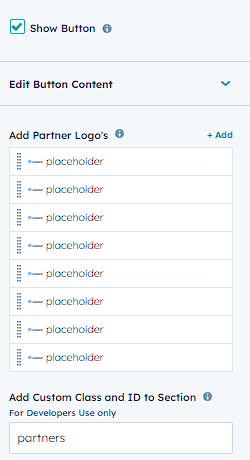
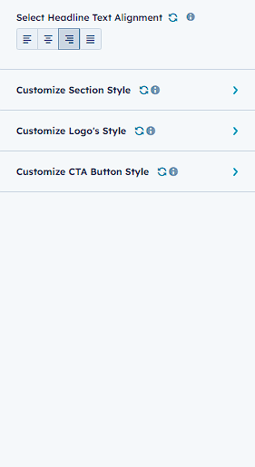
The settings for the "Partners Logo Showcase" module are conveniently divided into two tabs: "Content" and "Style". In the "Content" tab, you have the freedom to add and manage logos, customize their order and size. Additionally, you can enhance each logo with links, and choose whether to open these links in a new tab or the same tab. On the other hand, the "Style" tab empowers you to personalize the overall appearance of your logo gallery. From selecting the perfect background color to adjusting the border and spacing of the logos, you have complete control. You can even decide between displaying the logos in a sleek grid layout or an engaging carousel layout, and customize the animation and navigation settings for the carousel. With these flexible and intuitive settings at your fingertips, creating a professional and dynamic logo gallery to showcase your esteemed partners, sponsors, and clients has never been easier.
SUPPORT:
If you require any help throughout the process, don't hesitate to contact us at info@aicoderz.com.
Gallery Design
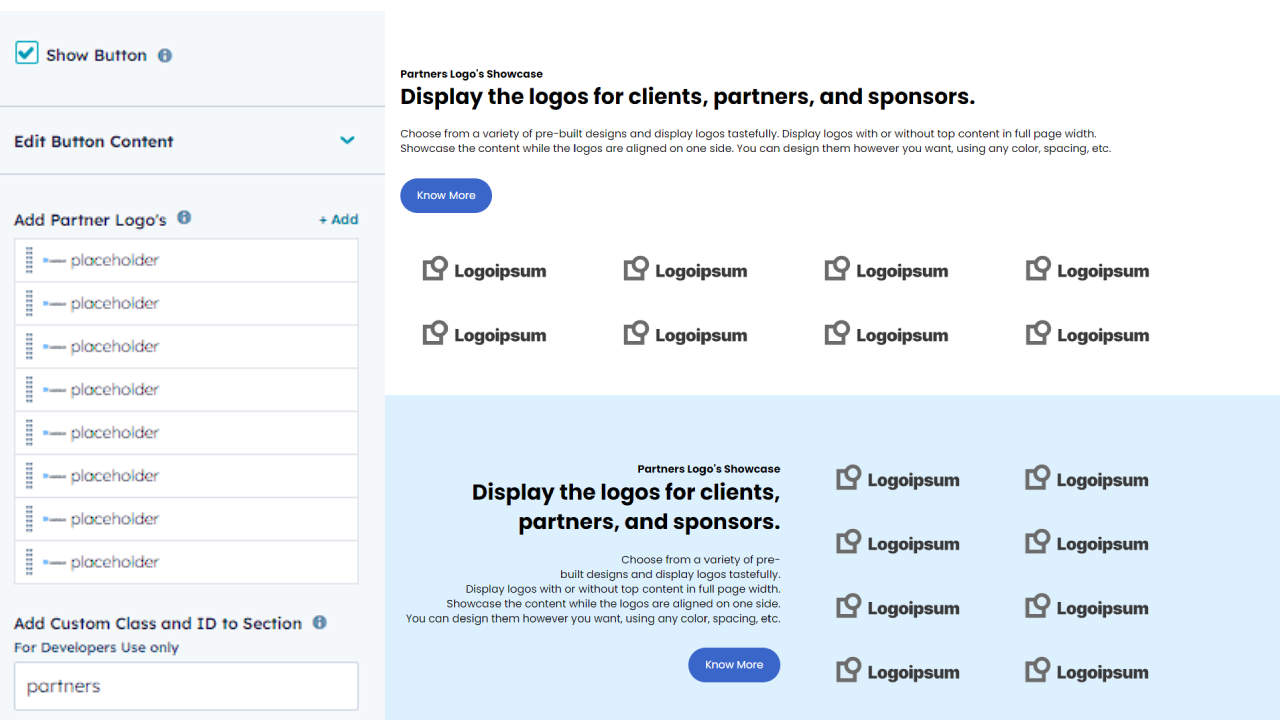
With the Partners Logo Showcase module, you have the power to effortlessly personalize the design of your logo gallery to perfectly match the style of your website. This module offers a unique feature that allows you to choose between Four distinct layouts for displaying your logos. You have the option to showcase your logos in full page width, allowing for larger and more captivating images that create an immersive experience. Alternatively, you can align your logos side-by-side for a more compact and organized appearance.
All layout's options offer extensive customization features, allowing you to effortlessly adjust the size, spacing, and alignment of your logos. Whether you are highlighting your sponsors, partners, or clients, the Partners Logo Showcase module simplifies the process of creating a visually stunning gallery that seamlessly complements your website's design.
In summary, the gallery design feature of the Partners Logo Showcase module offers a versatile and customizable solution for presenting your logos in a visually captivating manner. Whether you prefer a full-width display or a more aligned layout, this module provides the necessary tools to create a stunning and professional logo gallery that will elevate the overall aesthetic of your website.
Customization
The Partners Logo Showcase module offers a wealth of customization options that allow you to create a gallery that perfectly fits your website's design and style. With a variety of layout options, you can choose how to display your logos, whether it's in a full-page width display or an aligned one-sided layout. Additionally, you can choose from a range of colors and fonts to match your website's branding and create a cohesive look and feel.
The module includes pre-designed hover effects that enhance the overall user experience of your website. It also includes a built-in call-to-action (CTA) feature that can be easily enabled or disabled. The CTA helps guide your visitors to your partners' websites, with the added functionality of opening the links in a new tab.
The module also features powerful customization options for individual logos, giving you the flexibility to adjust the size, color, and other design elements to fit your specific needs. Whether you want to highlight certain logos or add captions and descriptions, this module offers a range of options to make your gallery truly unique.
Furthermore, the module's Style tab allows you to easily customize the look and feel of your gallery, from adjusting the background color to adding a hover effect when users mouse over the logos. And with the Content tab, you can add, remove, or reorder logos with just a few clicks, making it easy to keep your gallery up-to-date with your latest partners, sponsors, and clients.
Overall, the Partners Logo Showcase module provides a powerful and flexible tool for creating a visually stunning gallery of logos on your website. With its extensive customization options, you can create a gallery that perfectly matches your website's design and style while highlighting the partners, sponsors, and clients that help make your business a success.
Conclusion:
The Partners Logo Showcase module is an excellent tool for showcasing logos on a website. With its advanced customization options, including multiple layouts and styling options, you can create stunning galleries that perfectly fit your website's style and brand. The module features in action showcase the flexibility and ease of use of this module. You can customize everything from the number of columns to the logo size and spacing, giving you full control over the layout and design. With the content and style tabs, you can quickly and easily make changes and preview the result in real-time. Whether you're a web designer or website owner, this module is an excellent choice for showcasing your partners, sponsors, and clients' logos. So, why wait? Start creating your own logo gallery today and take your website to the next level!